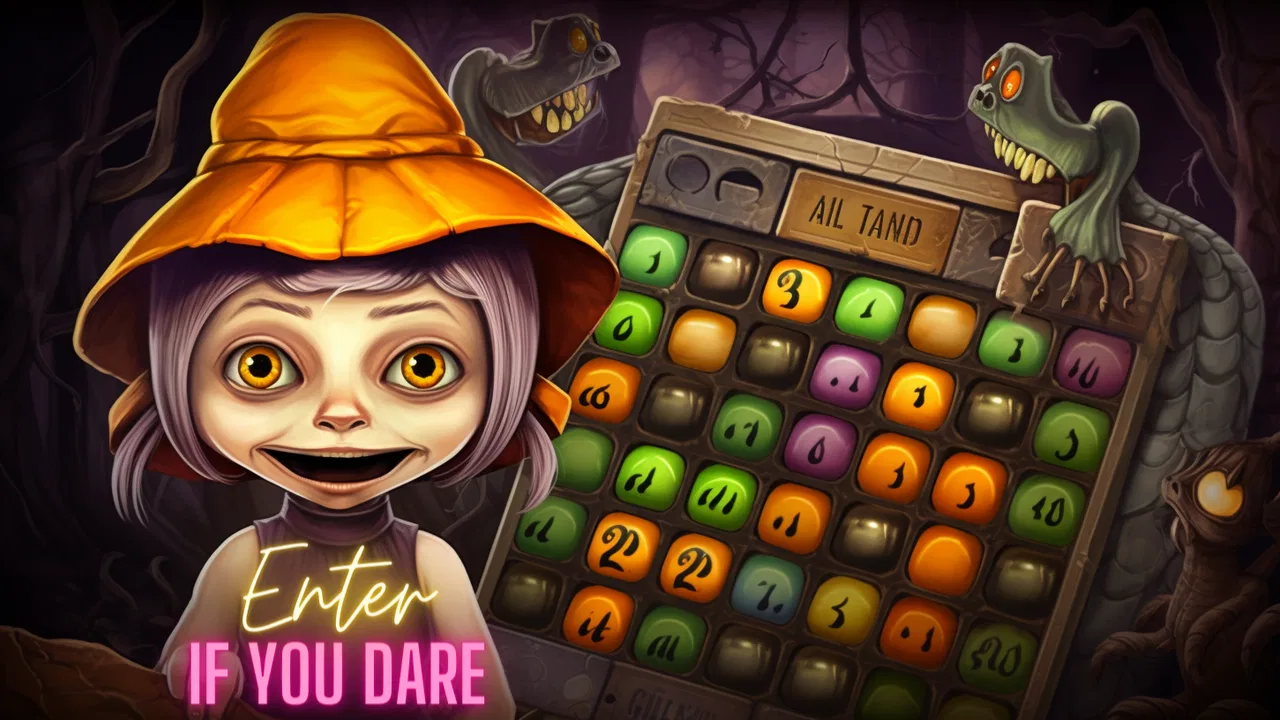
Bingo Battle - Haunted Halls
- 4.6
- Rating
- 500.00K
- Installs
- Free
- Price
 Analysis by App-foxy
I approached Bingo Battle - Haunted Halls as a quick board-game session rather than a traditional solo bingo app. Its main appeal is the live multiplayer setting: you daub numbers while other players are doing the same, so each card feels more urgent than a relaxed offline round. The Haunted Halls theme gives the presentation a seasonal, playful mood, while the competitive format makes it easier to understand why someone might return for another match.
My overall impression is positive, but this is best viewed as a focused entertainment game, not a complete social platform or a deep strategy board game. It is free to install, aimed at Everyone, and made by Bingo Battle. The listing shows an average rating of 4.6 from around 28 thousand ratings, with more than 500 thousand installs, so it has attracted a substantial audience for this style of mobile bingo.
Getting into a match without unnecessary frustration
The first place I would expect a new player to hesitate is the transition from opening the game to understanding what matters during a live round. Bingo is familiar, but a competitive mobile version can still feel fast when numbers are being called and several players are trying to complete their cards. I found that the most useful first step is to treat the opening session as practice for the interface: notice where called numbers appear, how a number is daubed, and what visual change confirms that an action registered.
You May Also Like

 Blood Strike: 2.5 Anniversary
Blood Strike’s Loadouts Turn Every Drop Into a Tactical Gamble
A close look at Blood Strike’s custom loadouts: how fast access to signature weapons reshapes its battle royale rhythm, rewards preparation, and narrows the gap between fights.

 Pandora - Music & Podcasts
Pandora’s Music Is Easy to Start, but Harder to Recover
Pandora’s strength is its low-effort path from a seed to a station. Its weak spot is how much confidence it asks you to place in connection, setup, and quiet recovery.

 8 Ball Pool
8 Ball Pool Is Built on Rivalries, Rematches, and Routine
A close look at the rivalries, rematches, shared routines, and unanswered safety questions that turn a quick pool match into a persistent mobile community.

 Samsung Music
Samsung Music’s Quiet Strength Is Playing What You Already Own
Its reach comes less from spectacle than from dependable access to a personal library. That simplicity is both the app’s strongest retention engine and its ceiling.

 AccuWeather: Weather Radar
AccuWeather Review: A Quick, Clear Forecast for Everyday Decisions
For everyday plans, the best forecast is the one you can understand quickly. AccuWeather makes rain timing, radar, and local conditions easy to act on, with a few trade-offs.

 Hill Climb Racing
Why Hill Climb Racing Still Turns Crashes Into One More Run
A tiny car, a bumpy hill and one more upgrade: Hill Climb Racing keeps resurfacing because its simple chaos makes every near-miss feel personal.
More From Our News Desk



That small orientation period matters because missed input is more frustrating in a live match than in offline bingo. If I tap too quickly, look away from the card, or assume a number marked itself when it did not, the problem is not necessarily the game. It may simply be a matter of learning the rhythm of the screen. I recommend playing the first round with attention on clarity rather than on winning, especially if you are handing the phone to a child or introducing the game to someone who rarely plays mobile board games.
The Haunted Halls setting is a pleasant change from a plain numbered grid. It adds character without changing the basic reason to play: watching the calls, finding the matching spaces, and trying to finish before the competition. That makes the game easy to explain to friends. I would not describe the theme as a substitute for depth, though. Players who want elaborate board-game rules, long-term planning, or a campaign may find the experience lighter than expected.
Another common sticking point is the meaning of “live multiplayer.” This is not the same kind of experience as taking turns with a friend at the kitchen table. The attraction comes from shared pace and immediate competition, which also means the best sessions depend on staying engaged. If you prefer games that can be paused whenever a message arrives, a solo puzzle, a conventional offline bingo app, or a turn-based board game may suit you better.
What I check before blaming the game
When a round behaves strangely, I start with simple checks. I make sure the phone has a stable connection, confirm that the game has finished loading, and avoid switching rapidly between apps while a match is active. Live play is more sensitive to interruptions than a static number generator. A weak connection can make the screen appear behind the action, while an accidental background switch can leave me unsure whether the latest call was processed.
I also check the basic device setup. Bingo Battle supports Android 7.0 and later, and the current version is 3.0. That makes it accessible to many older Android phones, but compatibility alone does not guarantee a smooth session on every device. A phone with very little free storage, heavy background activity, or an overloaded system may respond slowly even when the game itself is working normally.
My practical setup routine is straightforward:
- Close demanding apps before starting a live round.
- Use a reliable Wi-Fi or mobile-data connection rather than moving between networks mid-match.
- Keep the phone charged if I plan to play several rounds.
- Install the current game version when an update is available.
- Read the screen carefully before tapping repeatedly on a number.
These checks are not exciting, but they prevent the most avoidable problems. They also help separate a genuine game issue from a phone that is struggling with several tasks at once. I would especially follow them before spending anything, because a connection or performance problem should never be “fixed” by buying an item.
Recovering when a round does not go as planned
If the game seems frozen, my first response is patience rather than repeated tapping. In a live match, rapid taps can make it harder to tell what has already registered. I wait briefly, look for a visible change, and then decide whether the app has actually stopped responding. If it has, closing and reopening the game is a sensible general recovery step, provided I understand that leaving an active round may affect that session.
After reopening, I would test the game with a low-pressure round before assuming the problem is solved. This is a useful distinction: a one-time interruption may come from the connection or the device, while repeated trouble across separate sessions deserves closer attention. Restarting the phone can also clear temporary system congestion, particularly on an older handset that has been running for a long time.
I would avoid clearing app storage as an early experiment. That kind of reset can remove local session information and create a new sign-in or setup hurdle, depending on how the app handles its data. Safer steps come first: check the connection, restart the app, restart the phone, and make sure the operating system is functioning normally. If the same issue continues, recording what happened, when it happened, and whether it affected one round or every round gives support a much clearer starting point.
There is a second recovery issue that is easy to overlook: confusion about purchases. The game is free, but it includes in-app purchases ranging from $0.99 to $99.99 per item. I would set device-level purchase protections before letting a child play, and I would not treat a lost round, slow loading, or an unclear result as a reason to buy something. Competitive pressure can make a player act quickly, so a pause before confirming any transaction is worthwhile.
For families, I think this is one of the most important practical details. The Everyone age rating makes the game broadly approachable, but age suitability and spending control are separate questions. A child may enjoy the colorful bingo setting while still needing an adult to manage purchases and explain that buying an item does not replace learning the game or guarantee a win.
When the problem is probably outside the app
Not every missed call, delayed screen, or failed session points to Bingo Battle itself. If other online apps are also slow, the network is the more likely suspect. If only this game struggles while the rest of the phone behaves normally, then checking the app version, restarting it, and testing again is more useful than changing several phone settings at once.
Device age can matter as well. The minimum Android requirement is relatively broad, but a phone that technically runs Android 7.0 may still have limited memory or weak performance by modern standards. I would judge the experience by actual responsiveness rather than by the operating-system number alone. If taps regularly lag, menus take too long to appear, or the device becomes hot during ordinary use, another board game with less dependence on live timing may be a better choice.
Network changes are another source of confusion. Moving from Wi-Fi to mobile data, entering an area with weak reception, or using a congested connection can interrupt any real-time game. When diagnosing a problem, I change one thing at a time. For example, I would try a stable Wi-Fi connection first, then restart the session, rather than simultaneously reinstalling the app, changing permissions, and resetting the phone. A controlled check makes the result easier to understand.
I also keep expectations realistic about multiplayer. A live game can feel less satisfying if I want a quiet, uninterrupted activity or if I am looking for a guaranteed match with a particular friend. The competitive format is the point, but it also introduces dependence on timing and other players. For a casual family evening where everyone needs to stop and start freely, physical bingo cards or a slower turn-based option can be more convenient.
How it fits among other board games
Compared with traditional bingo, this version is more convenient when I want a quick session without preparing cards, markers, and a caller. The phone handles the presentation and lets the competition happen digitally. That makes it a good companion for a short break or a casual challenge with people who already enjoy bingo but do not want to organize a full game.
Compared with offline bingo apps, the live multiplayer focus gives it more tension. An offline alternative is usually better when I am travelling without dependable service, when I want to pause freely, or when I am mainly interested in number matching rather than competition. Bingo Battle is more appealing when the presence of other players makes the familiar format feel active.
Compared with deeper board games, it asks less of me strategically. I am not building an engine, managing a hand of cards, or planning several turns ahead. That is a strength for accessibility and a limitation for players who need complex decisions to stay interested. I see it as a quick competitive diversion, not as a replacement for a full tabletop strategy game.
One useful way to decide is to consider the length and mood of the session. If I have a few minutes and want immediate participation, the live format is a natural fit. If I want a story, a campaign, cooperative planning, or a game that rewards long-term mastery, I would choose another board-game category instead. The app succeeds when its simplicity is exactly what I want.
Who will get the most from it
I would recommend it to players who already understand bingo and want a more energetic mobile version. It is also suitable for someone who likes light competition but does not want to learn a large rulebook. The Everyone rating makes it approachable across age groups, although younger players may still need guidance with the interface and purchase controls.
A realistic use case is a short evening break after dinner. I can open a round, focus on the calls for a while, and stop when I am finished rather than committing to a long campaign. It also works as a simple way to introduce a friend to mobile board games: the basic objective is familiar, the Haunted Halls presentation adds personality, and the live setting gives the session a reason to feel more immediate than a solitary number generator.
I would skip it if I dislike real-time competition, have unreliable internet, or want a completely free experience with no purchase prompts or optional spending. I would also look elsewhere if my main goal is serious strategy. The free entry is helpful, but the presence of in-app purchases means I would approach it with a clear personal spending limit rather than assuming every part of the experience is cost-free.
My practical verdict after using it
The strongest reason to try it is the combination of familiar bingo rules and live competitive pressure. The Haunted Halls theme gives the presentation its own identity, while the straightforward board format keeps the learning curve low. I like that it can fill a short break without demanding the commitment of a larger board game.
Its weaknesses come from the same design choice. Live play is less forgiving of connection problems, interruptions, and slow devices than offline bingo. The game may also feel too lightweight for players who want a rich strategy system. I would prepare the phone, protect purchases, and test the connection before judging a troublesome session. Those steps do not transform the game, but they remove much of the avoidable friction.
Released on October 14, 2020, and currently at version 3.0, it remains an easy recommendation for casual bingo fans who want multiplayer energy on Android. The developer, Bingo Battle, has positioned it as a free board game rather than a premium purchase, with optional items available inside. My final advice is simple: try it when you want a fast, social-feeling bingo round, but choose an offline or deeper board game when reliability, pausing, or strategy matters more than live competition.
For me, that makes Bingo Battle - Haunted Halls a worthwhile download for the right situation, not an all-purpose board-game replacement. Start with a relaxed session, learn the marking rhythm, keep the connection steady, and decide whether the competitive pace is genuinely enjoyable before considering any optional purchase.
FAQs for Bingo Battle - Haunted Halls
01What is Bingo Battle - Haunted Halls?
Bingo Battle - Haunted Halls is a spooky-themed bingo game that combines traditional number matching with competitive battles and haunted-house visuals. Players complete bingo cards, react quickly to called numbers, and compete against opponents while progressing through eerie halls and themed challenges. The game is designed for short sessions, making it suitable for casual play, although its competitive format also encourages repeated matches and progression.
02Is Bingo Battle - Haunted Halls free to download and play?
The game is generally available as a free download, allowing players to begin playing without paying upfront. However, free-to-play games commonly include optional in-app purchases, such as currency, boosters, extra entries, or cosmetic items. Some features may also be supported by advertisements. Before downloading, check the current store listing for pricing, advertising details, and purchase information, especially if children may use the device.
03Does Bingo Battle - Haunted Halls require an internet connection?
An internet connection may be required for important features, particularly multiplayer battles, account synchronization, event participation, advertisements, and reward tracking. While some menus or limited gameplay elements might load without a connection, the full experience is usually more reliable online. Players should also expect performance to depend on connection quality, since interruptions can affect match progress or delay number updates.
04Is Bingo Battle - Haunted Halls suitable for children?
The game uses a playful haunted theme rather than realistic horror, but its suitability depends on the child’s age and sensitivity to ghosts, dark environments, and spooky sound effects. Parents should also review the game’s age rating, advertising, chat or social features, and in-app purchase settings. If children are playing, enabling parental controls and requiring purchase approval is a sensible precaution.
05What should I know before spending money in the game?
Purchases may help players obtain additional resources, boosts, tickets, or other progression-related items, but they are not necessarily required to enjoy the basic bingo experience. Competitive games can make limited resources feel especially tempting after a loss or during timed events. Review each purchase carefully, monitor spending, and remember that virtual items usually have no cash value and may not be refundable.
Pros
- Quick bingo rounds are easy to fit into short play sessions.
- Haunted-hall visuals create a distinctive seasonal atmosphere.
- Simple controls make the game approachable for casual players.
- Multiple rooms help the experience feel less repetitive.
- Bingo gameplay offers a relaxing alternative to action-heavy games.
Cons
- Frequent ads may interrupt the flow between rounds.
- Progress can feel slow without optional purchases or bonuses.
- The spooky theme may not appeal to players seeking traditional bingo.
- Limited strategic depth can make longer sessions feel repetitive.
- Performance may vary on older phones with limited memory.

Bingo Battle - Haunted Halls
Gallery